Why Choose a Central Monitor System for Your Business?
A business can have cameras, sensors, access controls, and alarms yet still miss the bigger picture. A Central Monitor System brings those signals into one operational view, helping teams spot issues and respond with clearer context. At 8:15 on a busy morning, a door alert, a temperature warning, and a camera feed can appear side by side instead of across separate screens. That matters. It can reduce the time staff spend switching between tools and help managers see recurring problems. Management thinker Peter Drucker is often credited with the line, “What gets measured gets managed.” The idea fits, though measurement alone does not guarantee better decisions.
This article outlines why businesses consider a Central Monitor System, from shared visibility and faster incident handling to more consistent daily operations. It also examines practical selection factors, including integration with existing equipment, alert quality, user access, and staff training. A dashboard is only useful when its information is accurate and someone knows what to do with it. Not magic. Poorly configured alerts can create noise, and disconnected devices can leave blind spots. Businesses should weigh these limits alongside potential benefits. The right system depends on the site, the risks, and the people who will use it. A careful assessment is a better starting point than buying the most feature-packed platform.
What Is a Central Monitor System?
What Is a Central Monitor System?
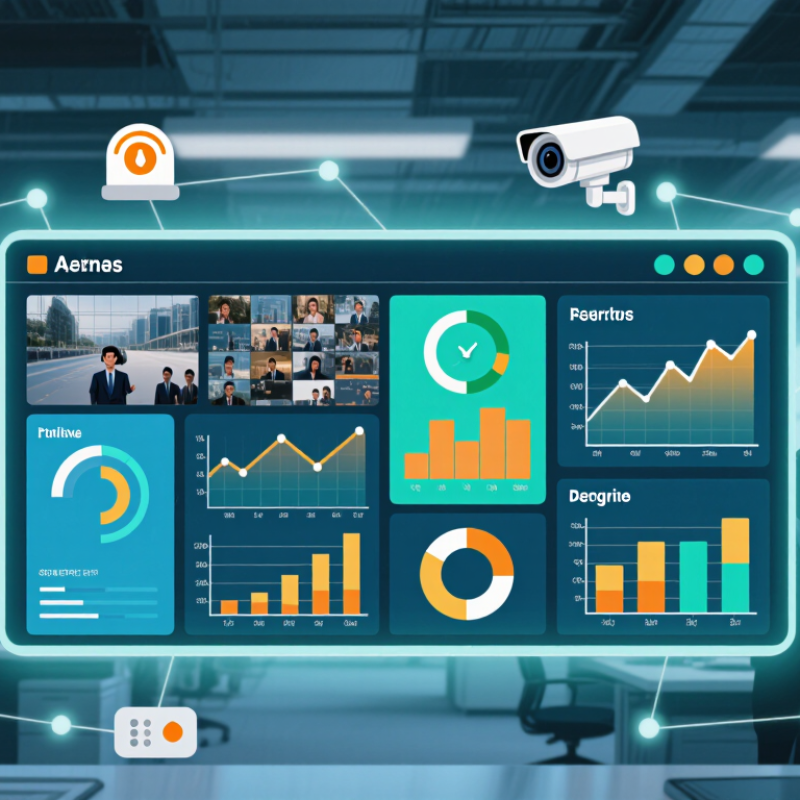
A central monitor system is a control point for business operations. It collects signals from security cameras, access controls, alarms, sensors, and digital infrastructure. Operators view these events on one screen instead of checking separate devices. The system can flag unusual activity, record time-stamped evidence, and support faster decisions.
In practice, a control room may show a door alert, temperature change, or network failure within seconds. Staff can verify the event before taking action. This reduces scattered information during busy periods. The value is measurable. IBM’s Cost of a Data Breach Report 2024 reported an average breach cost of 4.88 million dollars. Continuous monitoring cannot prevent every incident, but it can shorten detection time. That distinction matters.
Operational outages also create serious pressure. Uptime Institute’s Annual Outage Analysis 2024 found that 54% of reported significant outages caused more than 100,000 dollars in losses. A central monitor system helps teams connect technical warnings with business impact. However, more alerts do not always mean better control. Poorly configured rules can fill a screen with noise. That weakness is easy to overlook. Reliable systems need clear escalation paths, regular testing, access controls, and trained operators. Managers should review false alarms, response times, and missed events each month. A polished dashboard is useful, but disciplined human judgment remains essential.
Why Choose a Central Monitor System for Your Business?
What Is a Central Monitor System?
A central monitor system brings infrastructure, applications, networks, and security alerts into one operational view.
The chart shows the maximum annual downtime associated with common availability targets, helping teams track service performance,
identify incidents faster, and coordinate corrective action from a single console.
Reference: Availability percentages converted into annual downtime over a 365-day year. Actual results depend on system design and operations.
How Does a Central Monitor System Work?
A central monitor system gathers readings from equipment, rooms, and building controls into one operations view. Temperature sensors, power meters, and door contacts send data through local controllers or gateways. The platform timestamps each reading, checks it against configured limits, and displays status on an operator’s screen. A rising server-room temperature, for example, can trigger an alert before staff notice warm air near a rack.
The system’s value depends on more than a dashboard. Network interruptions, incorrect sensor placement, and poorly chosen thresholds can hide problems or create nuisance alarms. Operators should verify alert paths, test backup communications, and assign clear response steps. Uptime Institute’s 2024 Annual Outage Analysis reported that 54% of surveyed operators’ most recent significant outages cost at least $100,000. Central visibility cannot prevent every outage. It can help teams spot warning signs sooner and coordinate a response.
In practice, an alert may reach a control-room display and an on-call technician’s phone, while an event log records who acknowledged it and when. Useful systems preserve historical trends, show which device produced each reading, and distinguish urgent faults from routine changes. Human review still matters. A sensor can drift, and a dashboard can look reassuring while one critical device is offline.
Which Business Needs Can It Address?
A central monitor system can help businesses that manage several rooms, sites, or types of equipment. Instead of checking separate screens, staff can view alarms and status updates from one control point. A facilities team might track a server-room temperature, a refrigeration unit, and a water leak sensor on the same dashboard. That matters. A warning is useful only when someone can see it and act.
Retail stores, warehouses, offices, and clinics may benefit when timely responses affect daily operations. For example, a warehouse manager can receive an alert if a loading-area door remains open after hours. A facilities operator can spot a cooling fault before stored goods are affected. Central visibility may also help managers identify repeated issues, such as one unit triggering the same alarm every week. Small delays add up.
The system is not a substitute for trained staff or clear procedures. Businesses should decide which events need immediate attention, who receives each alert, and what happens if the primary contact is unavailable. Too many notifications can make important warnings easier to miss. Poorly placed sensors can also create blind spots. The best setup reflects the actual building, operating hours, and response capacity, then gets reviewed as those conditions change.
What Benefits Does It Provide?
A central monitor system brings key business signals into one view. Depending on the setup, it can track equipment status, room conditions, network health, or energy use. Staff can spot unusual readings without checking several separate screens. A clear dashboard may also help teams respond sooner when a machine overheats or a storage area moves outside its target temperature. Small changes matter. Earlier alerts can reduce avoidable downtime and give managers better information for maintenance planning.
For businesses with multiple sites or busy operations, centralized monitoring can make routine checks more consistent. Authorized staff can review alerts remotely, compare trends, and share a common picture of what needs attention. Records may support troubleshooting by showing when a change began, though data quality depends on proper sensor placement and regular maintenance. A central system is not a substitute for trained staff. Poorly configured alerts can create noise, and one missed setting can leave a blind spot. That part deserves honest review.
Tips: Start with a short list of critical measurements. Set alert limits with the people who operate the equipment, then test them during normal conditions. Check that each sensor is labeled clearly and that someone owns every alert. Review the dashboard after a few weeks; remove signals that do not help, and investigate gaps rather than assuming everything is fine.
How Should a Business Select and Implement One?
A business should choose a central monitoring system around the decisions it needs to make, not the number of screens it can fill. Map critical equipment, applications, locations, and alert owners before comparing suppliers. A useful system connects existing data sources, shows clear severity levels, and records who acknowledged each alert. Ask staff to test realistic scenarios: a freezer warming overnight, a server slowing during checkout, or a sensor losing its connection. Can the right person act quickly? That matters.
Check reliability, access controls, data retention, and integration costs in the same review. Uptime Institute’s 2024 Annual Outage Analysis reported that 54% of surveyed organizations said their most recent significant outage cost more than $100,000. The figure is a survey finding, not a forecast for every business, but it shows why response planning deserves attention. For security monitoring, IBM’s 2024 Cost of a Data Breach Report put the global average breach cost at $4.88 million. Start with a pilot in one site or department. Set measurable targets, such as fewer duplicate alerts and shorter acknowledgment times. Train operators using real incidents, then adjust thresholds after several weeks. Expect some noise. A dashboard that looks impressive in a demo may still overwhelm people at 2 a.m. Keep a record of missed alerts and confusing workflows, and use it to refine the rollout.